PRODUCT · RESOURCE MANAGEMENT P6
Approvals, analytics & forecasting — built on Primavera P6.
We built an intelligence and approval workflow layer on top of Oracle Primavera P6 — two-tier approvals, portfolio-level EAC analytics, resource forecasting, and a complete audit trail. No one writes to your schedule until a request is approved.
PRODUCT PREVIEW
HOW IT'S BUILT
Two pillars: Approvals for control, Analytics for visibility.
APPROVALS
Control who changes what
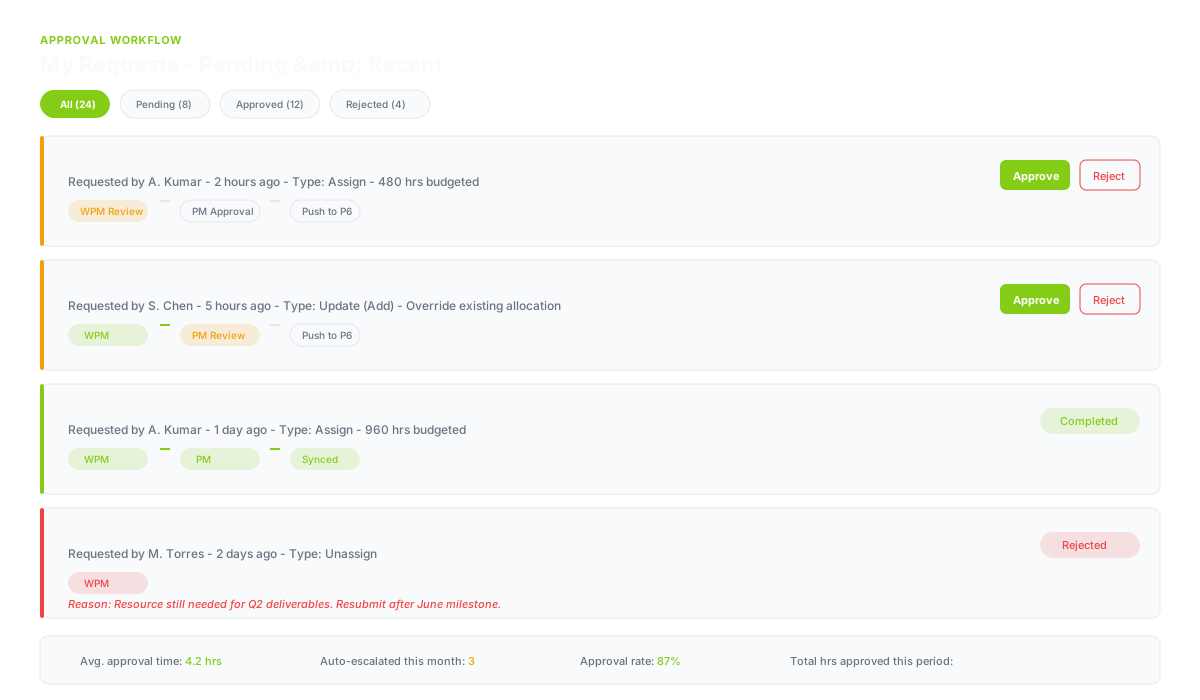
Primavera is your system of record — but anyone with access can modify assignments directly. Work Assignment adds an approval layer so no budget moves without documented authorization.
- Two-tier approval: Work Package Manager → Project Manager
- Three request types: Assign, Update (add or override), Unassign
- Auto-escalation after 24 hours when approvers are unresponsive
- Self-submit guards — approvers cannot approve their own submissions
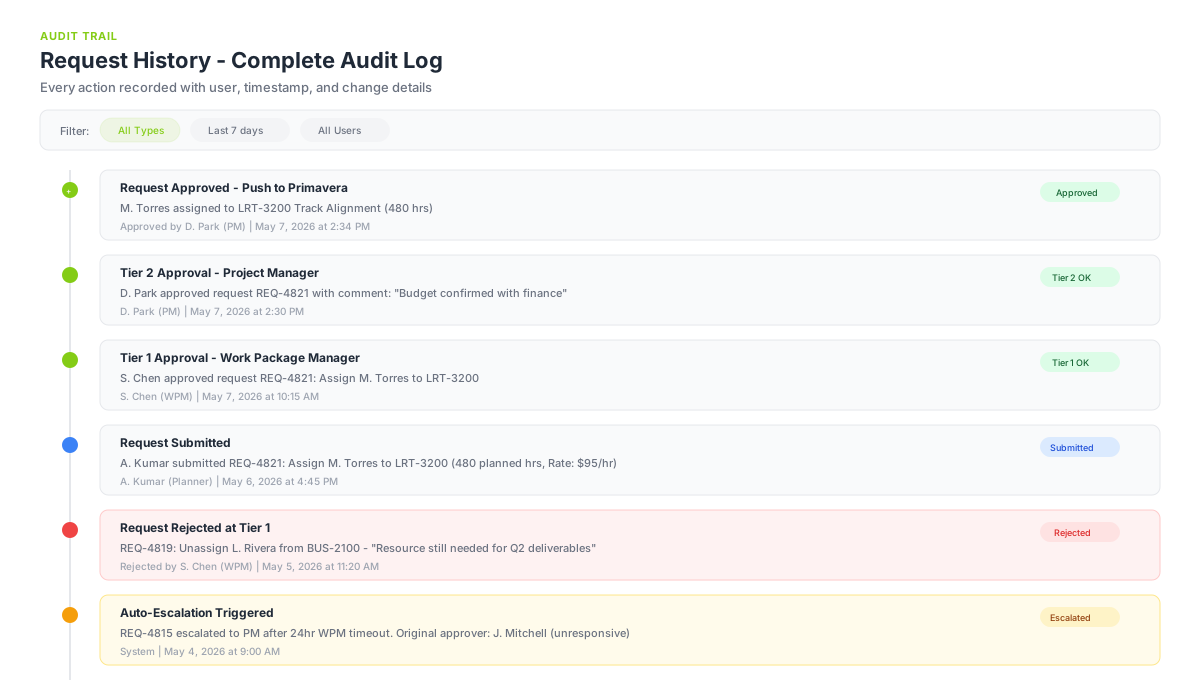
- Immutable audit trail: who requested, who approved, when, why
- Rejection reasons captured and terminal at either tier
ANALYTICS
See the variance forming
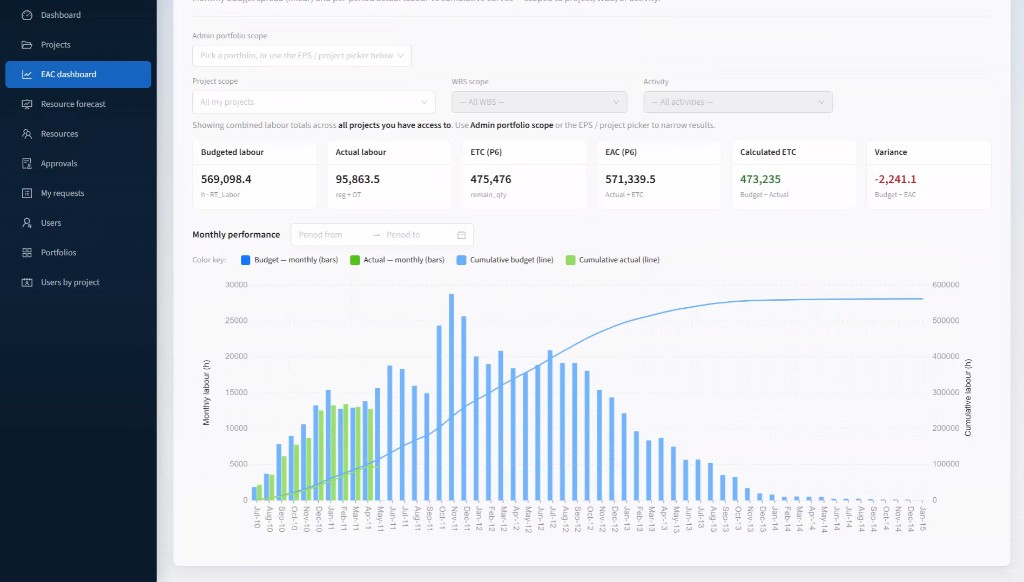
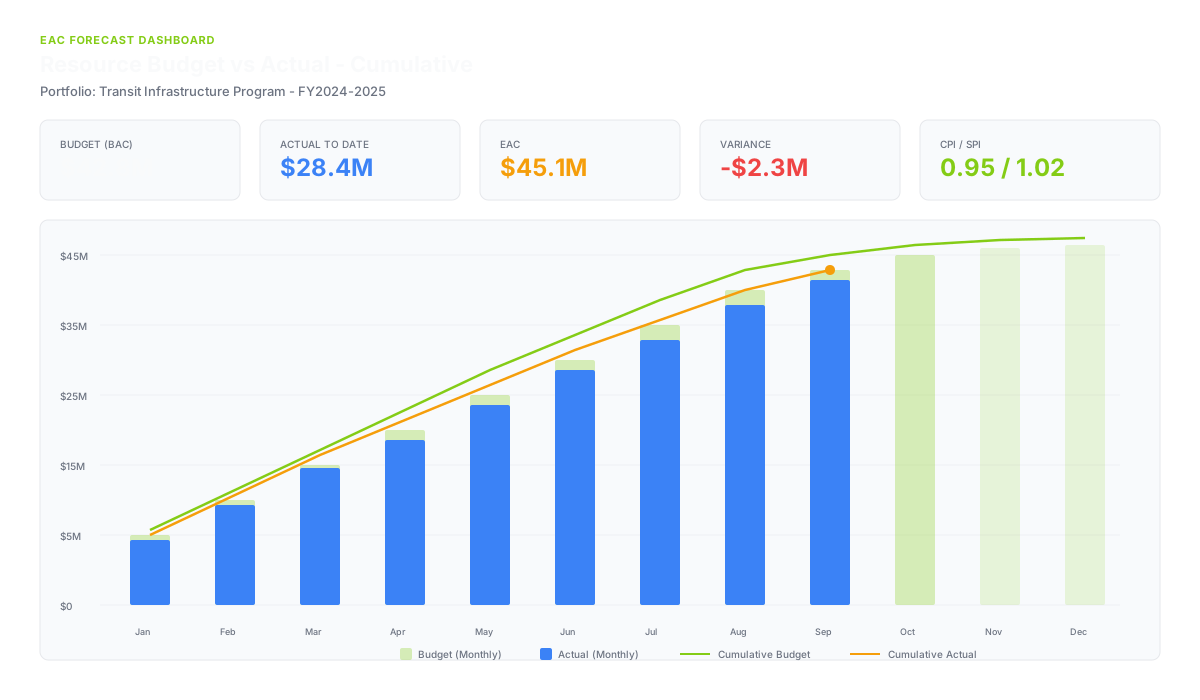
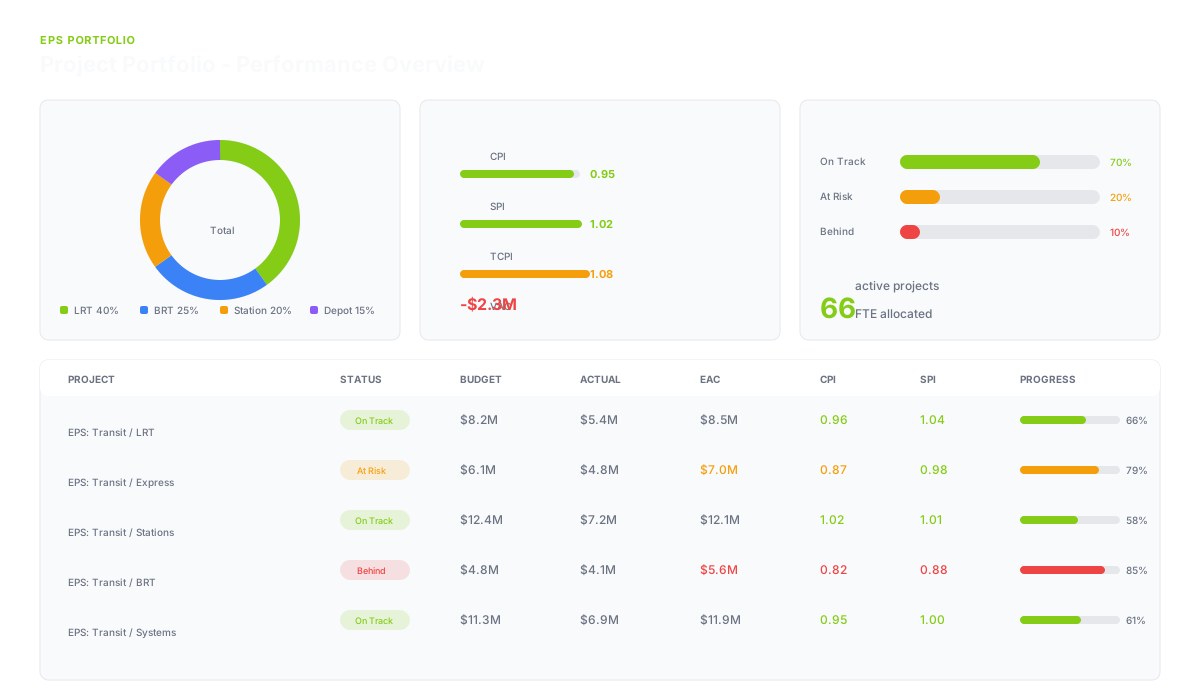
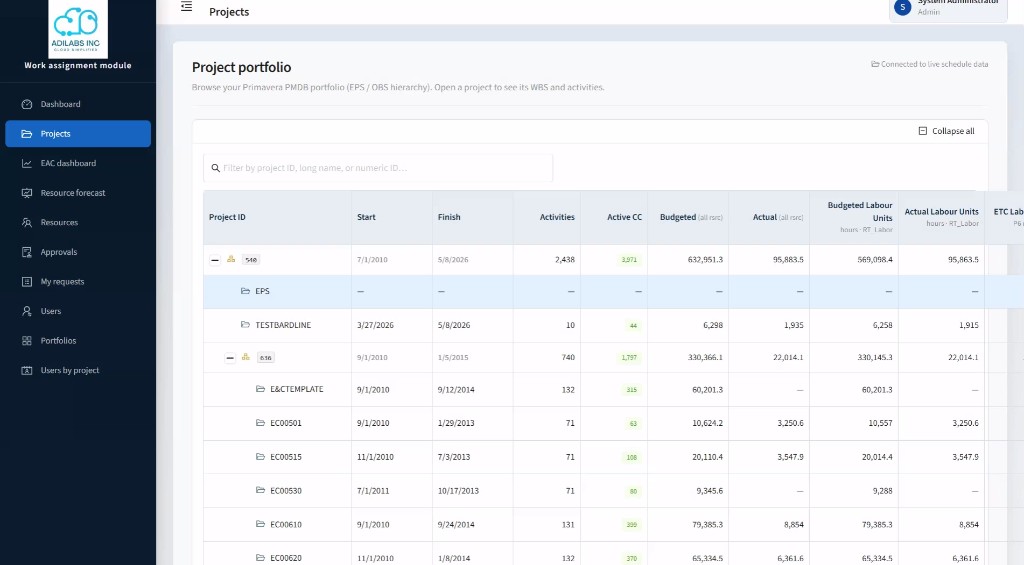
EAC dashboards take the raw labour fields already stored in Primavera and present them as portfolio-level executive analytics — monthly, cumulative, and drillable from EPS branch down to individual activity.
- Estimate at Completion: Budget, Actual, ETC, EAC, Variance per row
- Monthly budget spread vs per-period actual labour charts
- Dual-axis bar + line: monthly on left, cumulative on right
- EPS-aware scope picker — drill from portfolio to activity
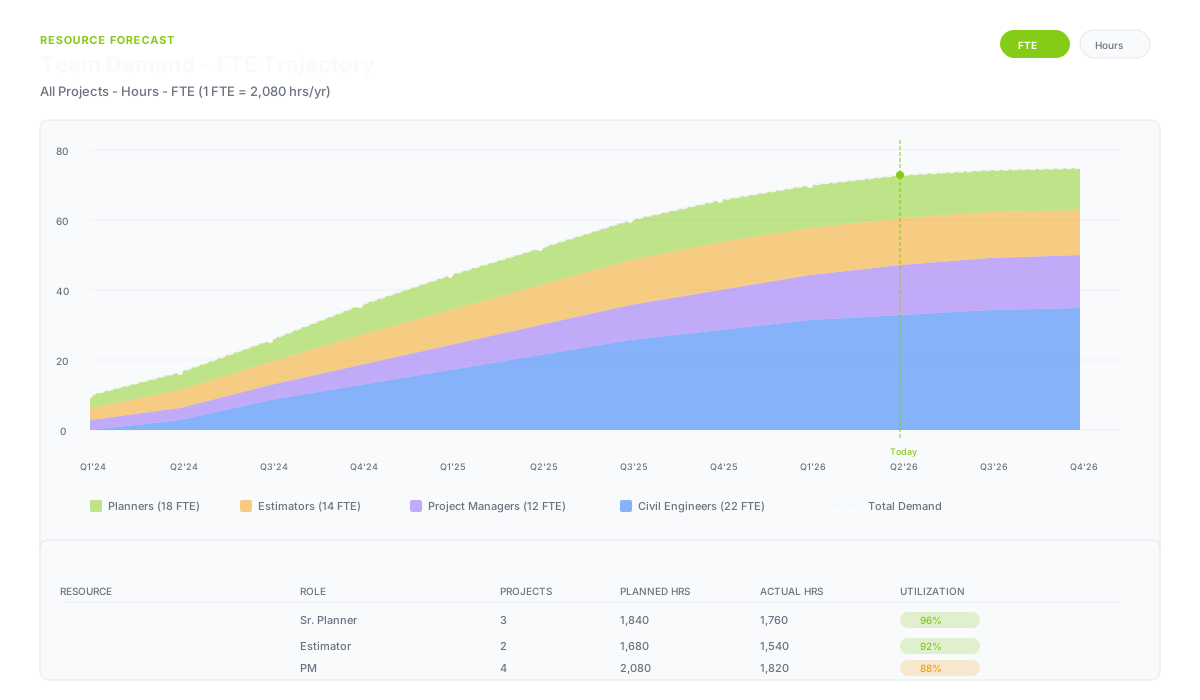
- Resource forecast with Hours vs FTE toggle
- Team demand trajectory for workforce planning
THE APPROVAL FLOW
From request to Primavera — with approval at every gate.
01
Request
Planner identifies a resource need and submits a charge code request with notes and required hours.
02
WPM Review
Work Package Manager reviews the request, sees full context, and approves or rejects with comments.
03
PM Approval
Project Manager gives final authorization. Escalation auto-triggers if WPM is unresponsive for 24 hours.
04
Push to P6
Approved request writes to Primavera's TASKRSRC table — the only write surface, fully audited.
05
Audit
Every action logged with user, timestamp, and exact change. Notifications sent to requester in real time.
PLATFORM CAPABILITIES
Everything you need to manage resource assignments at enterprise scale.
EAC DASHBOARD
Executive-level forecasting
- Labour-only totals at every level (EPS, project, WBS, activity)
- Monthly budgeted spread computed from assignment date ranges
- Per-period actuals from Primavera financial period tables
- Combined cumulative tracking with running totals
- Cumulative line stops at last period with real data — no misleading flatline
- Portfolio scope selection with admin-defined groupings
RESOURCE MANAGEMENT
See every assignment, everywhere
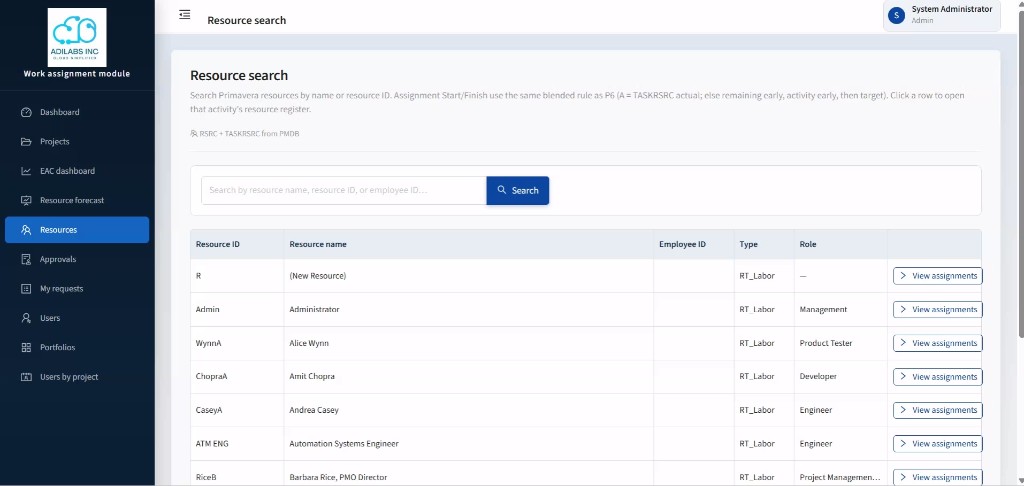
- Search any resource by name, ID, or employee code
- View all assignments grouped by project with drill-through
- Project Resource View: resources with activity counts and rate cards
- Cross-project 'My Resources' mode for planners
- SAP-paired assignment merge — unified planned + actual view
- Active charge code filtering with status indicators
RESOURCE FORECAST
Forward-looking labor planning
- Time-phased planned labor by financial period (linear spread)
- Actual labor overlay where period data exists
- Hours vs FTE toggle with admin-configurable conversion
- Resource Manager role: read-only workforce planning view
- Team demand FTE trajectory chart
- Per-resource expandable breakdown across projects
ENTERPRISE
Deploys alongside, never replaces
- Read-only against Primavera except one approved write path
- Six-role permission model enforced server-side on every endpoint
- EPS-aware project access with cascading VP delegation
- Container-based deployment — full stack in a single command
- Runtime schema detection for Primavera version differences
- REST API for integration with downstream BI tools
BUILT FOR
Designed and built for enterprise-scale transit and construction programs.
Reference available under NDA.